

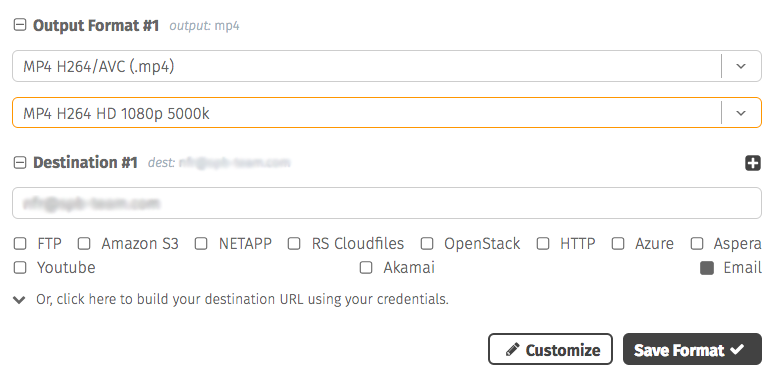
Presets can be defined within the management UI. When you save a format, you can use the name of that format in subsequent API calls and the same format information will be applied.
Keep in mind that you'll still need to supply authentication, source, and destination information in each API request, the preset merely repeats the same previous choices on the parameters for encoding and translations.
<?xml version="1.0"?>
<query>
    <userid>[UserID]</userid> <!-- required-->
    <userkey>[UserKey]</userkey> <!-- required-->
    <action>addMedia</action>
    <format> <!-- REQUIRED -->
        <output_preset>[output]</output_preset> <!-- REQUIRED -->
        <preset_mode>[default|recursive]</preset_mode> <!-- optional -->
        <!-- Format fields -->
    </format>
</query>
{
"query": {
"userid": "[UserID]",
"userkey": "[UserKey]",
"action": "addMedia",
"format": {
"output_preset": "[output]",
"preset_mode": "[default|recursive]"
}
}
}Preset merge mode
The preset_mode parameter controls how the preset is merged with the rest of the <format> section:
| Parameter | Description | Allowed Values | Default Value |
|---|---|---|---|
| preset_mode | default — the preset only fills in top-level <format> fields that the request does not specify. recursive — the preset and the request are merged recursively: the request can override any preset value at any nesting level (streams, audio streams, codec parameters, etc.). Array elements such as <stream> are matched by position. | default, recursive | default |
For example, with preset_mode set to recursive you can reuse a multi-stream preset while overriding just one value of one stream:
<?xml version="1.0"?>
<query>
    <userid>[UserID]</userid> <!-- required-->
    <userkey>[UserKey]</userkey> <!-- required-->
    <action>addMedia</action>
    <source>[SourceFile]</source>
    <format> <!-- REQUIRED -->
        <output_preset>[output]</output_preset> <!-- REQUIRED -->
        <preset_mode>recursive</preset_mode>
        <stream>
            <bitrate>6000k</bitrate> <!-- overrides only this value of the preset's first stream -->
        </stream>
    </format>
</query>
{
"query": {
"userid": "[UserID]",
"userkey": "[UserKey]",
"action": "addMedia",
"source": "[SourceFile]",
"format": {
"output_preset": "[output]",
"preset_mode": "recursive",
"stream": [
{
"bitrate": "6000k"
}
]
}
}
}